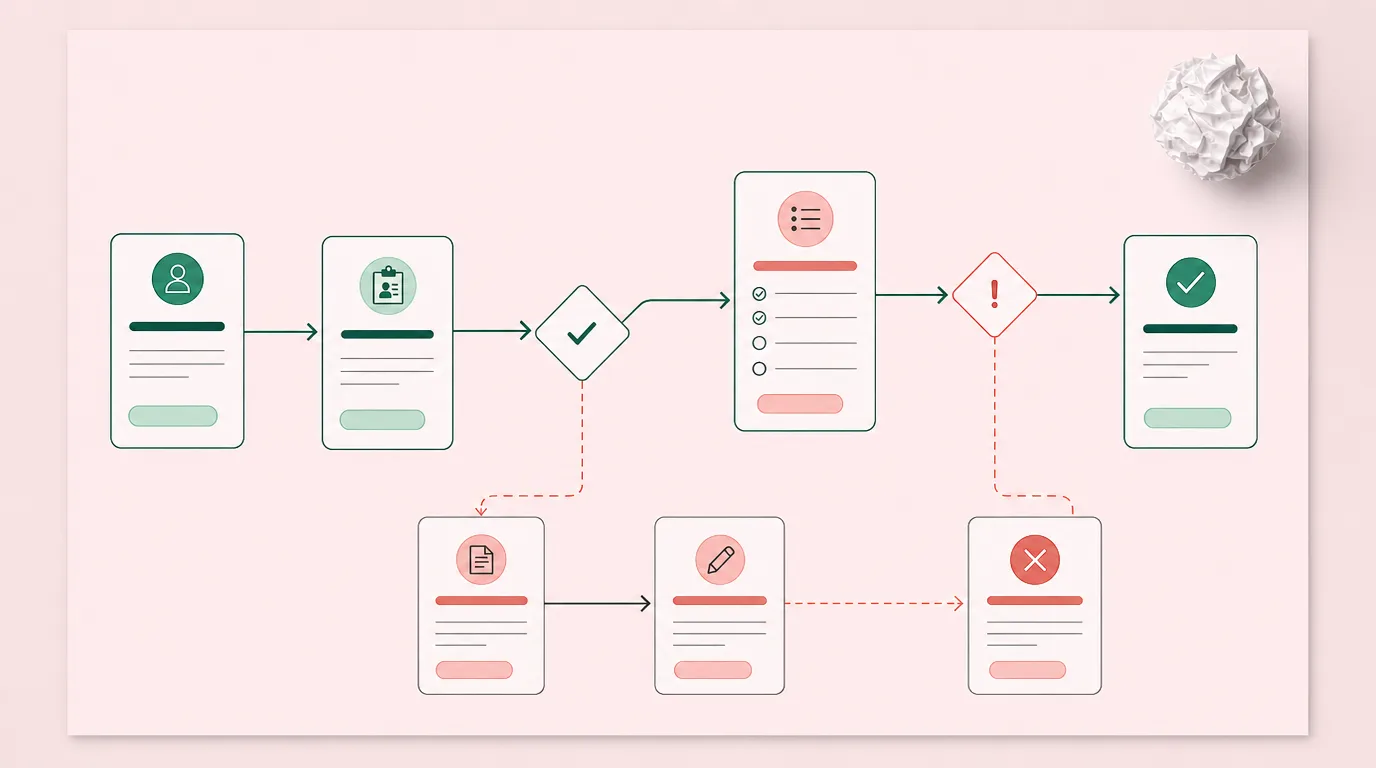
Dans un cabinet de conseil, les erreurs administratives commencent souvent en silence. Un renseignement client est mis à jour à un endroit, mais pas à un autre. Un suivi reste au fond d'une boîte de réception. Un document est enregistré à l'extérieur du dossier client. Aucun de ces moments ne semble grave en soi, mais ensemble, ils créent du travail supplémentaire, un service plus lent et une visibilité affaiblie dans toute la pratique.
Pour les conseillers financiers canadiens, réduire les erreurs administratives commence par changer la façon dont le travail quotidien circule dans le cabinet. Quand les données clients, les tâches, les documents, les communications et les dossiers de conformité restent connectés, l'équipe a moins de failles à gérer et plus de confiance dans l'information qui guide chaque relation client.
Pourquoi les erreurs administratives surviennent dans les flux de travail des conseillers
Les erreurs administratives apparaissent souvent quand l'information client transite par trop d'endroits déconnectés. Une conversation avec un client peut commencer par courriel, se poursuivre en rencontre, exiger le dépôt d'un document, déclencher une tâche et mettre à jour un dossier CRM. Sans flux de travail cohérent, de petites failles deviennent des erreurs évitables.
- Saisie manuelle et double saisie: quand les conseillers ou le personnel de soutien retapent l'information dans des portails, des fichiers Excel, des formulaires et des dossiers CRM, les mêmes données clients peuvent être copiées incorrectement, oubliées ou mises à jour à un endroit seulement.
- Outils fragmentés et silos de données: quand les notes, les tâches, les documents et les communications clients vivent dans des systèmes séparés, l'équipe perd sa source de vérité unique. Vérifier un dossier rapidement et avec confiance devient plus difficile.
- Information client incomplète: des dates manquantes, des documents non signés, des coordonnées périmées ou des réponses d'accueil incomplètes peuvent ralentir la planification financière, retarder les suivis et créer des dossiers inexacts à corriger plus tard.
- Suivis manqués et transferts de tâches: les tâches administratives passent entre les mailles du filet quand la responsabilité est floue. Un courriel de suivi manqué, un rappel de renouvellement oublié ou une demande de document en retard affaiblit la réactivité et mine la confiance du client.
- Documentation déficiente et failles dans la piste de vérification: si les interactions clients et les mises à jour de tâches ne sont pas suivies clairement, le conseiller peut avoir du mal à prouver ce qui s'est passé, quand et par qui.
Prévenez les erreurs de saisie manuelle
Regroupez vos outils dans le logiciel intégré pour conseillers de Laylah.
Comment réduire les erreurs manuelles avec de meilleurs dossiers CRM
L'une des façons les plus efficaces de réduire les erreurs administratives est d'améliorer la façon dont l'information client est saisie, organisée et mise à jour. Un CRM ne devrait pas être une base de données passive que l'équipe met à jour quand elle a le temps. Il devrait soutenir le travail quotidien de la pratique.
Pour les cabinets canadiens qui revoient leurs systèmes, les fonctionnalités CRM et de gestion de pratique de Laylah montrent comment les dossiers, les cas, les tâches, les documents et les communications peuvent travailler ensemble dans une seule plateforme pensée pour les conseillers.
Centraliser l'information client dans une source de vérité unique
Une source de vérité est l'endroit auquel votre équipe se fie en premier quand elle a besoin d'information client exacte. Sans ce dossier central, les conseillers s'appuient sur des recherches dans les courriels, de vieilles notes, des fichiers Excel, des portails d'arrière-guichet ou la mémoire. Le risque d'information périmée et de travail en double augmente.
Des données clients centralisées aident les conseillers à réduire les erreurs parce que tout le monde travaille à partir du même dossier. Les renseignements clients, les tâches, les documents, les notes et l'historique des cas deviennent plus faciles à trouver et à vérifier. C'est encore plus important quand plusieurs membres de l'équipe soutiennent la même relation client.
Standardiser la gestion de cas, les tâches et les modèles de flux de travail
Les erreurs administratives surviennent souvent quand chaque conseiller ou membre du personnel gère le même processus différemment. Une personne suit ses tâches dans le CRM, une autre utilise des indicateurs de courriels, une troisième se fie à un fichier Excel. Cette incohérence complique la gestion des dossiers à l'échelle du cabinet.
Des flux de travail standardisés réduisent la variabilité. Avec la gestion de cas pour conseillers financiers, un cabinet organise le travail par dossier client, étape, responsabilité et prochaine action. Les conseillers et le personnel de soutien voient ce qui doit se faire, ce qui a déjà été fait et ce qui reste en suspens.
Automatiser les mises à jour du CRM sans perdre le contrôle
L'automatisation peut réduire la charge de travail, mais elle ne devrait pas remplacer le jugement du conseiller. L'objectif est d'automatiser les tâches administratives répétitives tout en gardant le conseiller aux commandes de la relation client et des décisions finales.
L'automatisation du CRM peut aider à:
- Mettre à jour les dossiers clients après les interactions clés
- Créer des tâches de suivi après les rencontres
- Organiser les demandes de documents et les rappels
- Faire avancer les flux de travail des dossiers
- Réduire la saisie manuelle répétitive
La meilleure automatisation ne remplace pas le conseiller. Elle réduit les tâches administratives chronophages pour qu'il puisse consacrer plus d'attention à la planification financière, aux conversations avec les clients et à la qualité des conseils.
Remplacez les bases de données déconnectées
Laylah est un CRM conçu spécifiquement pour les conseillers financiers indépendants canadiens.
Les avantages de minimiser les erreurs administratives pour les conseillers financiers
Quand les erreurs administratives diminuent, le bénéfice ne se limite pas à des dossiers plus propres. Toute la pratique de conseil fonctionne avec plus de confiance. Les conseillers ont une meilleure information. Le personnel de soutien a des responsabilités plus claires. Les équipes de conformité ont une documentation plus solide. Les clients vivent moins de délais et moins de demandes répétées.
L'exactitude administrative devient un avantage d'affaires parce qu'elle soutient la croissance sans ajouter de chaos.
Les conseillers passent moins de temps à corriger et plus de temps à servir leurs clients
Chaque erreur administrative évitable a un coût en temps. Quelqu'un doit trouver le problème, confirmer la bonne information, mettre à jour le dossier, aviser la bonne personne et parfois expliquer le délai au client. Ce temps éloigne le conseiller du travail à plus forte valeur.
Quand les flux de travail sont plus propres, les conseillers passent moins de temps à corriger des dossiers et plus de temps sur la stratégie client, la planification financière et la relation. Le personnel de soutien travaille aussi plus efficacement parce que les tâches, les documents et l'information client sont plus faciles à localiser.
Les équipes gagnent en confiance de conformité et en contrôle opérationnel
Les cabinets de conseil financier profitent de processus reproductibles. Un processus reproductible est plus facile à enseigner, à surveiller, à améliorer et à défendre. Il donne aussi aux propriétaires de pratique et aux responsables des opérations une meilleure visibilité sur l'état du travail dans le cabinet.
Avec des dossiers CRM plus solides, des pistes de vérification et des flux de tâches structurés, les cabinets peuvent améliorer leur confiance en matière de conformité et leur contrôle opérationnel. Cela n'élimine pas le besoin de jugement professionnel. Cela donne aux équipes une structure plus claire pour appliquer ce jugement de façon constante.
Les clients vivent une expérience plus fluide et plus fiable
Les clients remarquent quand un cabinet est organisé. Ils n'ont pas à renvoyer la même information, à courir après les mises à jour ou à se demander si la prochaine étape a été prise en charge. L'expérience semble plus fluide parce que le cabinet a un meilleur contrôle interne.
Des dossiers exacts soutiennent aussi un service plus personnalisé. Quand le conseiller voit rapidement l'information client, les conversations passées, les documents et les tâches ouvertes, il répond avec plus de contexte et d'assurance.
Réduire les erreurs administratives, ce n'est pas seulement éviter des problèmes. C'est créer une expérience de conseil plus fiable.
Comment Laylah peut-il aider à réduire les erreurs administratives?
Laylah est conçu pour les conseillers financiers indépendants canadiens et les équipes de conseil qui veulent une façon plus propre de gérer les données clients, la conformité, les communications et les opérations. Au lieu de forcer les équipes à assembler des outils déconnectés, Laylah réunit les flux de travail des conseillers dans un seul environnement CRM et de gestion de pratique.
La plateforme est particulièrement pertinente pour les cabinets aux prises avec la double saisie, les dossiers fragmentés, la pression documentaire de conformité et une gestion des tâches incohérente.
Pourquoi les conseillers financiers utilisent le CRM de Laylah
Gestion de cas
La gestion de cas de Laylah aide les conseillers à organiser le travail par dossier, étape, responsabilité et prochaine action. Au lieu de compter sur la mémoire ou des listes de tâches éparpillées, l'équipe voit où en est chaque dossier et ce qui demande de l'attention. Cela réduit les transferts manqués, garde le travail en mouvement et donne aux conseillers une structure plus claire pour gérer les demandes clients, les propositions, les renouvellements et les suivis.
Flux de travail de conformité
Laylah soutient la conformité en gardant l'activité importante rattachée au dossier client. Les conseillers conservent une visibilité claire sur les actions, les documents, les communications et l'historique des flux de travail sans courir après l'information dans des systèmes déconnectés. Cela réduit les failles documentaires, renforce la préparation aux vérifications et donne aux équipes une façon plus constante de démontrer ce qui s'est passé dans la relation client.
Espace client sécurisé
Le portail client sécurisé de Laylah donne aux conseillers et à leurs clients un endroit contrôlé pour échanger de l'information, partager des documents et gérer les communications. Cela réduit le risque que des détails importants se perdent dans les boîtes de réception ou circulent par des canaux moins organisés. Quand la communication client reste rattachée au bon dossier, le conseiller répond avec plus de contexte et fait moins d'erreurs de suivi évitables.
Synchronisation avec les assureurs et l'arrière-guichet
Laylah réduit la double saisie grâce à la synchronisation avec les assureurs et l'arrière-guichet. Quand les flux de données du conseiller sont connectés, l'équipe passe moins de temps à retaper l'information d'un système à l'autre et a moins d'occasions d'introduire des erreurs. Les dossiers restent à jour, le travail administratif répétitif diminue et les flux de travail gagnent en exactitude dans toute la pratique.
Analyse des besoins financiers
L'outil d'analyse des besoins financiers de Laylah permet aux conseillers de travailler à partir d'information client déjà connectée dans le CRM. Au lieu de déplacer des données entre des outils séparés, le conseiller soutient ses conversations de planification à partir d'un dossier mieux organisé. Cela réduit les erreurs de transfert manuel, améliore la cohérence du processus de conseil et relie plus proprement les données clients au travail de planification.
Simplifiez les opérations de votre pratique
Un CRM unifié conçu spécifiquement pour les professionnels canadiens de la gestion de patrimoine.