Managing a modern financial advisory practice is inherently complex. Advisors must simultaneously balance client expectations, strict compliance requirements, and endless operational follow-ups. Because of this, choosing a CRM is no longer a simple software decision; it is a core operational strategy. When critical client details are scattered across siloed spreadsheets, emails, notebooks, and carrier portals, even the most capable advisory teams lose the visibility needed to thrive.
A CRM for financial advisors gives your practice one organized place to manage client relationships, track opportunities, record conversations, assign tasks, and keep work moving. The best systems help advisors deliver a more consistent client experience while reducing administrative pressure.
But traditional CRM software has limits. Many systems were built for sales teams, not advisory practices. That is where Laylah bridges the gap for Canadian advisors.
What a CRM Actually Does for a Financial Advisor
A customer relationship management system, often called a CRM, is the central operating system for client information. At its most basic level, it stores contact details, notes, reminders, tasks, and communication history. For an advisor, that means less time searching for information and more time giving advice.
A good financial advisor CRM helps organize the daily work behind client relationships, from meeting notes and missing documents to renewal dates and team ownership.
The value is not just having more data. The value is having the right data in the right place, at the moment your team needs it.
Centralize your practice today
Let Laylah manage the details so you can focus on advice.
Why Financial Advisors Should Use a CRM
The clearest reason financial advisors should use a CRM is simple: advisory work depends on trust, and trust depends on consistency. Clients expect timely follow-ups, accurate information, secure communication, and advice that reflects their full financial picture. A CRM helps make that consistency easier to deliver.
Better Organization
Financial advisors rarely manage one simple workflow. A single client may have an investment review, insurance application, retirement analysis, beneficiary update, and annual compliance task happening at different times. Without a central system, your team has to remember too much manually.
A CRM creates structure for client relationship management. Instead of relying on memory, inbox searches, or notes, advisors can use tasks, timelines, reminders, and pipelines to keep every client moving through the right process.
Better Client Service
Clients do not see your internal systems. They see whether you can provide the service they expect. When your CRM contains all the information you need from every client, it makes interaction feel more informed.
This matters when a client calls with a question. Instead of saying, "Let me look into it," your team can quickly see the current status of the case, what documents were received, and what needs to happen next.
Better client service often starts with better internal visibility.
Less Manual Follow-Up Work
A CRM does not eliminate the need for human judgment, but it reduces repetitive administrative work. Reminders, task lists, templates, and pipeline status help advisors standardize how work gets done.
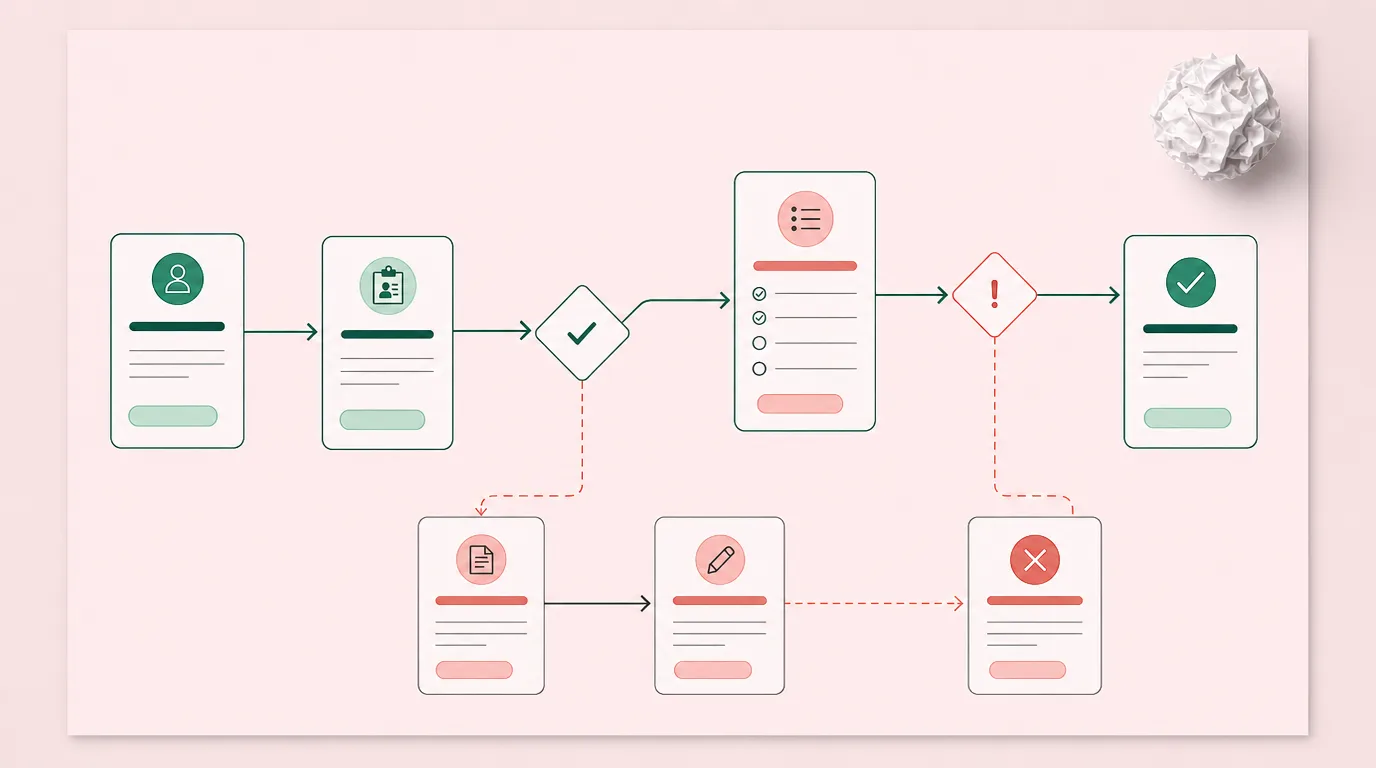
A practical CRM workflow might look like this:
- A prospect becomes a client and is added to the CRM.
- The onboarding workflow creates required tasks and document requests.
- Notes, emails, and client communication are attached to the file.
- The advisor completes analysis and recommendations.
- Annual review reminders are created for future service.
That structure keeps your team from rebuilding the same process from scratch every time.
Deliver the consistency your clients expect
Experience the power of Laylah's organized workflows.
CRM Benefits for Advisor Teams
For solo advisors, a CRM creates personal discipline. For growing advisory teams, it creates shared accountability. When assistants, associates, operations managers, and advisors all work from the same client file, fewer tasks fall between roles.
A CRM also supports better delegation. Team members can see who owns each action, what is waiting on the client, and what is overdue. Team meetings become more productive because the conversation shifts from "Where is this file?" to "What decision needs to happen next?"
How CRMs Support Compliance and Recordkeeping
Compliance is one of the biggest reasons advisors need more than a basic contact database. Financial advisors must be able to show what happened, when it happened, who did it, and why a recommendation was made. If information is scattered, proving that history becomes difficult.
A CRM can help by storing notes, activity history, documents, tasks, and communication records in one place. This makes it easier to prepare for reviews, answer internal questions, and maintain a complete picture of the relationship.
However, many generic CRMs only provide partial support. They may track calls and emails, but they may not create a complete audit trail around advice workflows, document sharing, case activity, needs analysis, and suitability documentation. Advisors need systems that reflect how their work actually happens, not just how a generic sales funnel works.
Where Traditional CRMs Fall Short for Financial Advisors
Generic CRM platforms can be useful, but they often require heavy customization before they fit an advisory practice. Many were designed around sales teams, support teams, or broad small business workflows. Financial advisors need something more specific.
Common CRM gaps include:
- No built-in financial needs analysis. Advisors still need separate tools for insurance, disability, critical illness, and retirement analysis.
- Limited compliance traceability. Generic records may not show a defensible audit trail across tasks, documents, client messages, and recommendations.
- Weak case management. A sales pipeline is not the same as an insurance case, transfer, renewal, or annual review.
- Fragmented data feeds. Advisors still have to copy information from carrier portals, back-office systems, and spreadsheets.
- Unsecured client collaboration. Email and file attachments are not ideal for sensitive client documents.
These gaps create the same problem the CRM was supposed to solve: too many disconnected tools. The advisor ends up with a CRM, a document tool, a planning tool, a compliance tracker, a spreadsheet, and a growing list of portals.
How Laylah Bridges the CRM Gap
Laylah is built specifically for Canadian independent financial advisors and advisory teams. Instead of treating the CRM as a generic contact database, Laylah combines client relationship management, case management, compliance, secure client collaboration, and financial needs analysis in one platform.
That matters because the daily work of an advisor is not just "manage contacts." It is manage advice, evidence, timing, communication, documentation, and follow-through.
Laylah helps bridge the gap through:
- CRM case management for financial advisors that links tasks, documents, conversations, and history to each client case
- Built-in compliance for financial advisors with timestamped activity and audit-ready records
- Secure client space for document exchange, messaging, and data collection
- Financial needs analysis tools for insurance, disability, critical illness, and retirement planning workflows
- Data feeds and integrations that reduce manual entry across Canadian advisor systems
In other words, Laylah keeps the CRM connected to the actual operations of the practice.
Case Management That Matches Advisor Workflows
Advisors manage complex, multi-stage client journeys rather than simple sales leads. Laylah's case management structure provides a defined process for every client scenario, automatically tracking accountability, operational status, and historical records. This ensures every piece of client business moves forward predictably.
Compliance Built Into Daily Work
Laylah builds compliance records seamlessly during everyday client interactions. The system automatically maintains a timestamped, user-identified audit trail of all team activity and profile updates. This shifts compliance from a stressful, after-the-fact cleanup exercise into a natural part of daily operations.
Secure Collaboration and Connected Data
Sensitive financial information should not be scattered through unencrypted attachments and inbox threads. Laylah's client space supports secure document sharing, messaging, questionnaires, and collaboration linked back to the client record. With carrier and back-office data feeds, plus Google and Microsoft 365 integrations, advisors can reduce double entry and keep client records more current.
Experience the ultimate advisor-centric platform
Transition to Laylah and watch your practice thrive.
Choosing the Right CRM for Your Advisory Practice
The best CRM is not always the one with the longest feature list. It is the one your team can actually use every day. Before choosing a platform, advisors should look at how well it supports the full client lifecycle.
Ask these questions before making a decision:
- Does the CRM fit financial advisor workflows, or will it need major customization?
- Can it support compliance documentation, audit trails, and secure recordkeeping?
- Does it connect tasks, documents, communications, and cases in one place?
- Can it integrate with the tools, carriers, and back-office systems your team uses?
- Will it help your team reduce administration without adding complexity?
For Canadian independent advisors, it is also worth considering data residency, privacy obligations, bilingual needs, and whether the vendor understands advisor operations.
Why a CRM Is Now a Practice Management Decision
Modern CRMs are no longer just digital address books; they are essential to an advisory firm's operations. While generic systems track contacts, they often lack the case visibility, compliance control, and structured analysis financial practices need.
Laylah integrates traditional CRM centralization with advisor-specific tools. By combining contact management with practice management, it doesn't just store client data, it helps your practice run better.
Ready to See a CRM Built Around Advisor Work?
If your CRM only stores contacts, your practice may still be doing too much work outside the system. Laylah helps Canadian financial advisors bring client data, cases, compliance, collaboration, and analysis into one connected platform.
See a CRM built around advisor work
See how Laylah can help your advisory practice stay organized, reduce admin, and deliver a more consistent client experience.